Key-Value Store Component
|
|
What is a Key-Value Store Component component? |

Stores in RAM memory pairs of key-value data obtained either from Series or any other component. With the combination of another Key-Value Store it can perform an aggregation operations. See: Query Operations section.
|
|
Learn more about Key-Value Store component |

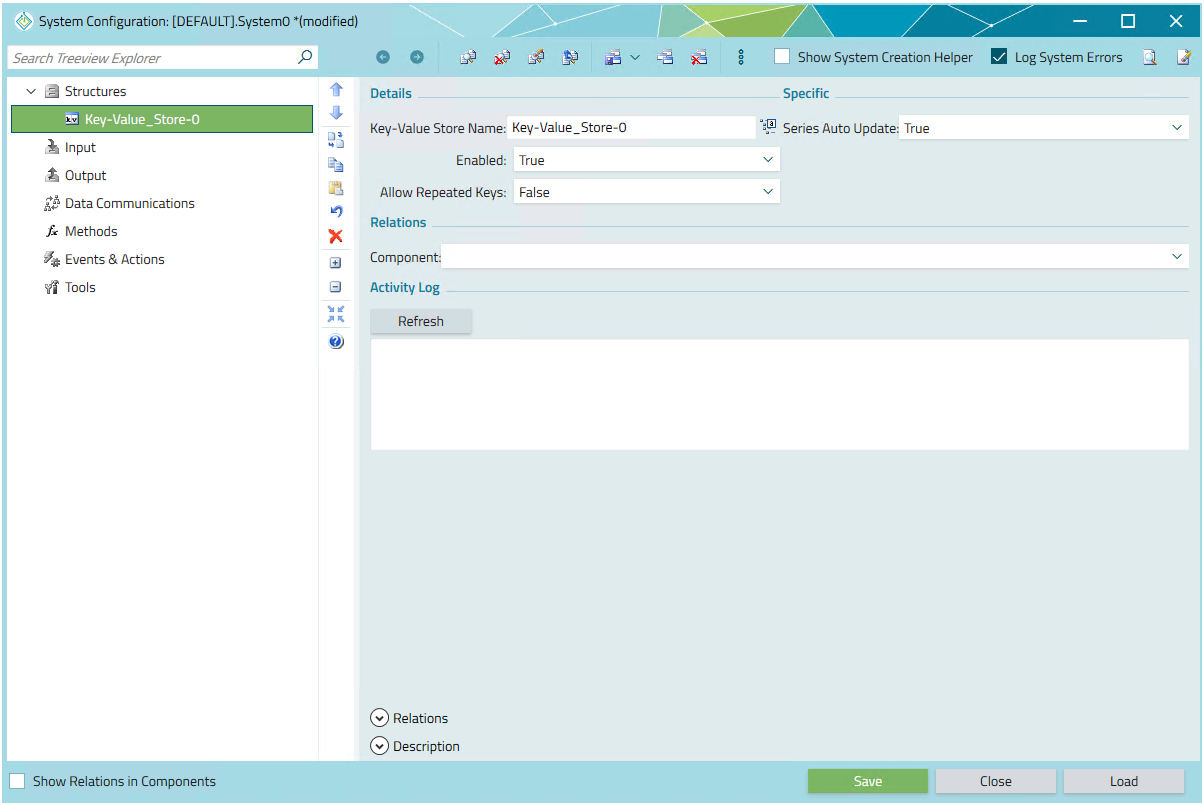
To create a Key-Value Store component, right-click the DataStructures section in the system tree and select Add Key-Value Store.
Persistence
 All the data stored in Key-Value Store is not
persistent and will disappear after unloading the system.
All the data stored in Key-Value Store is not
persistent and will disappear after unloading the system.
 Click here
to view the Key-Value Store component.
Click here
to view the Key-Value Store component.
|
|
Properties |

Properties for a Key-Value Store component are listed below in each of the sections, and include a description of how the component can be used and/or some of the possible values for each property.
Adding Items to a Key-Value Store
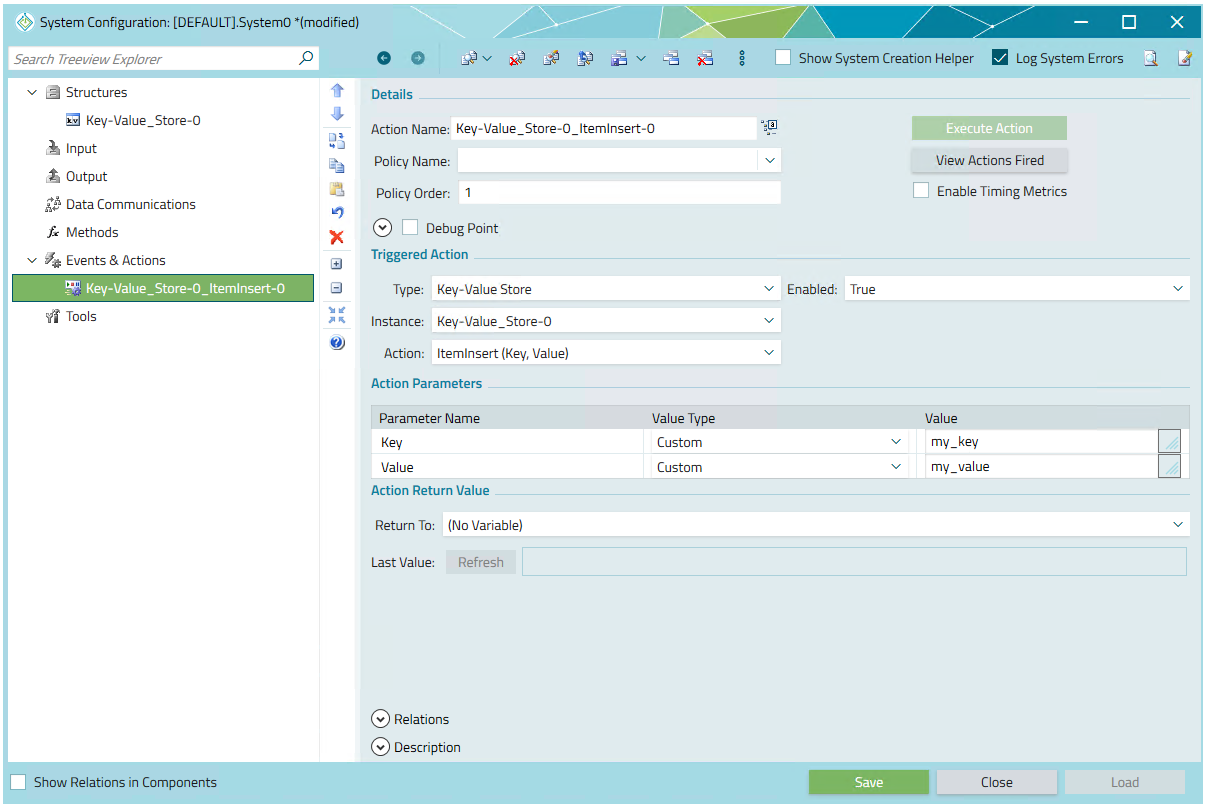
1. By a Function Call
Create an action and call ItemInsert(Key, Value). If you use the function
ItemInsert(Value) the Key will be generated automatically.
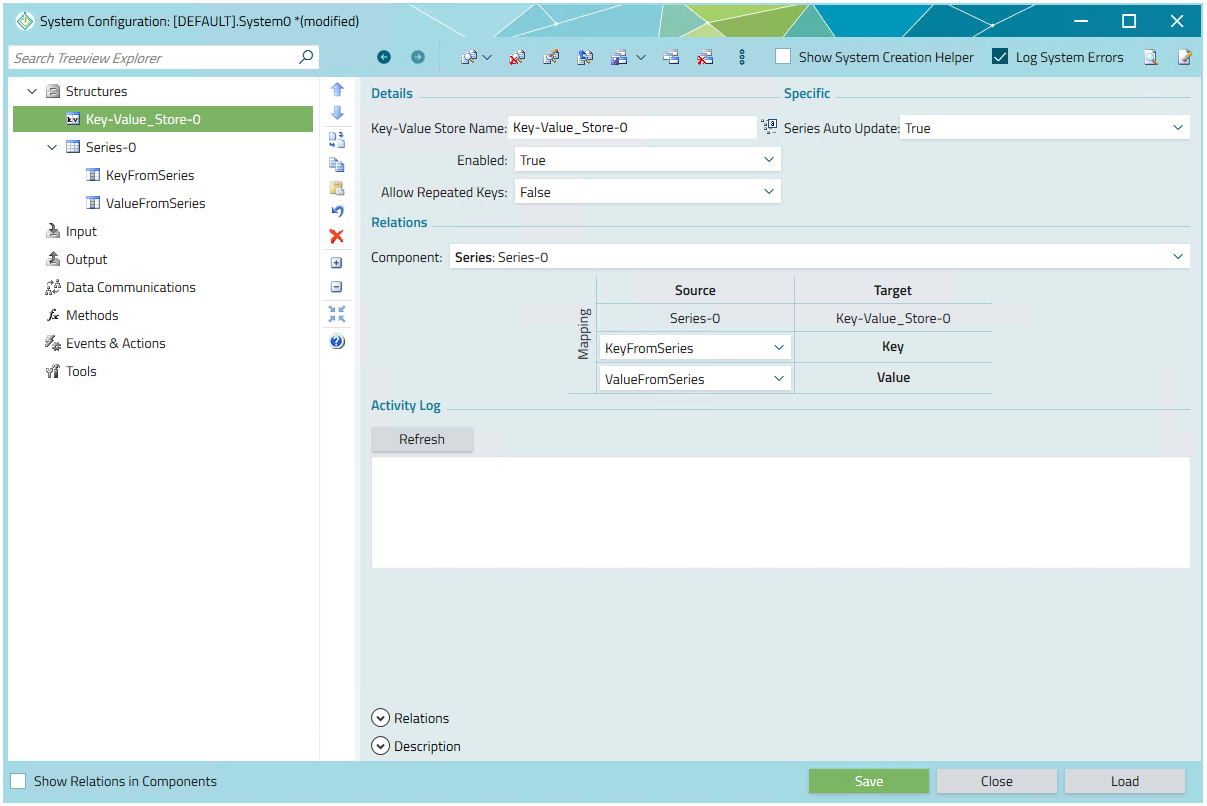
2. By attaching the series
Any row that will be added to Series0 will be automatically pushed to
Key-Value_Store-0.
In the Mapping table you can choose which field of the series is mapped to key and/or value.
The repeating keys are updating the corresponding values automatically if Allow Repeated Keys
is set to False.
3. By attaching the component
In the similar manner you can attach to any other component, except other Key-Value Store.
 Attaching to another Key-Value Store as a parent will not copy any data between two components.
Please refer to Query Operations section for urther information.
Attaching to another Key-Value Store as a parent will not copy any data between two components.
Please refer to Query Operations section for urther information.
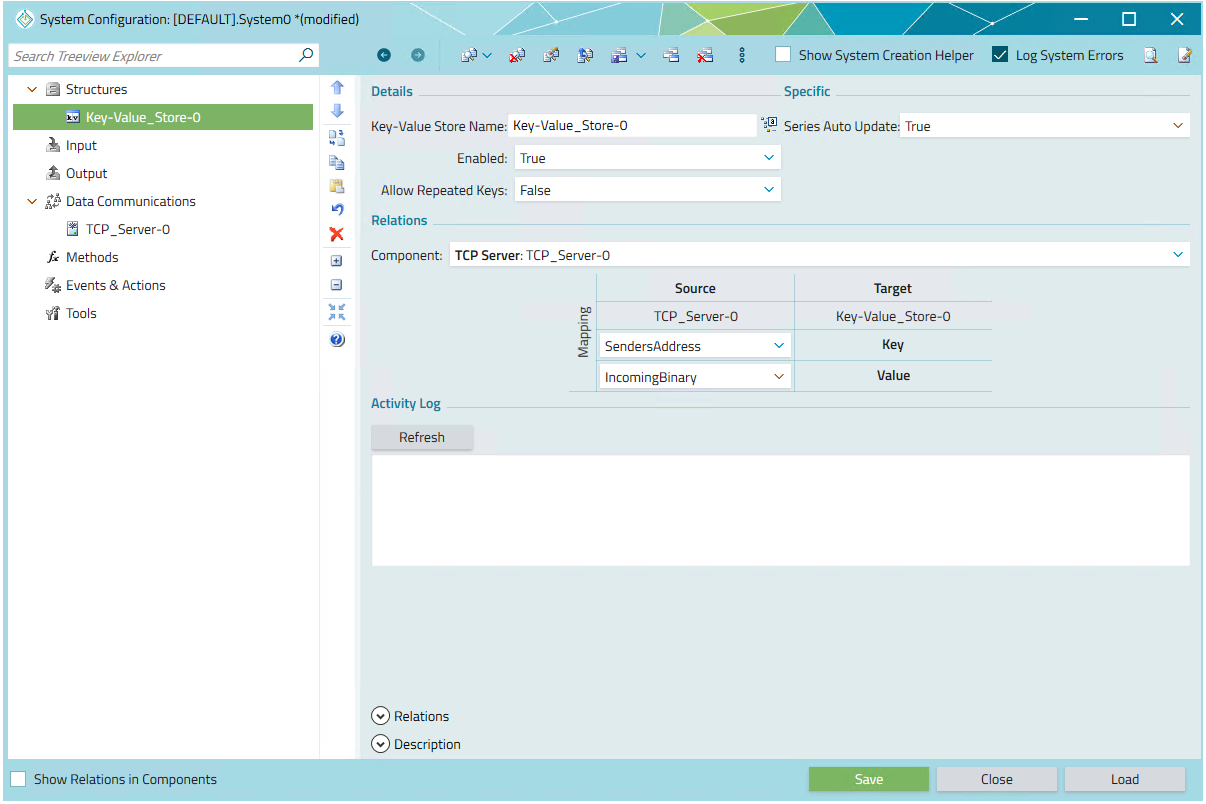
In the first example the Key-Value Store is attached to the properties of TCP Server.
Those are the properties we could see when we are attaching TCP Server to fields' of a Series.
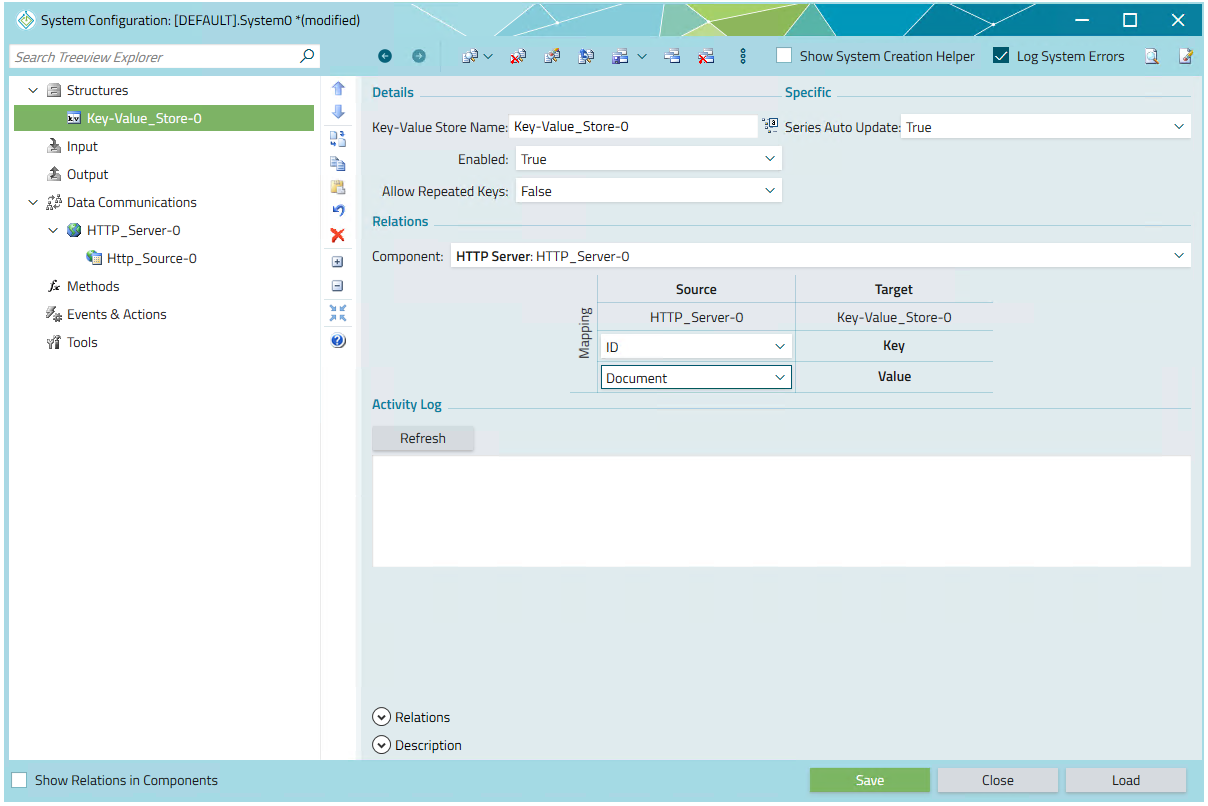
In the second example the Key-Value Store is attached in the similar fasion to the properties of the
HTTP Server.
Query Operations
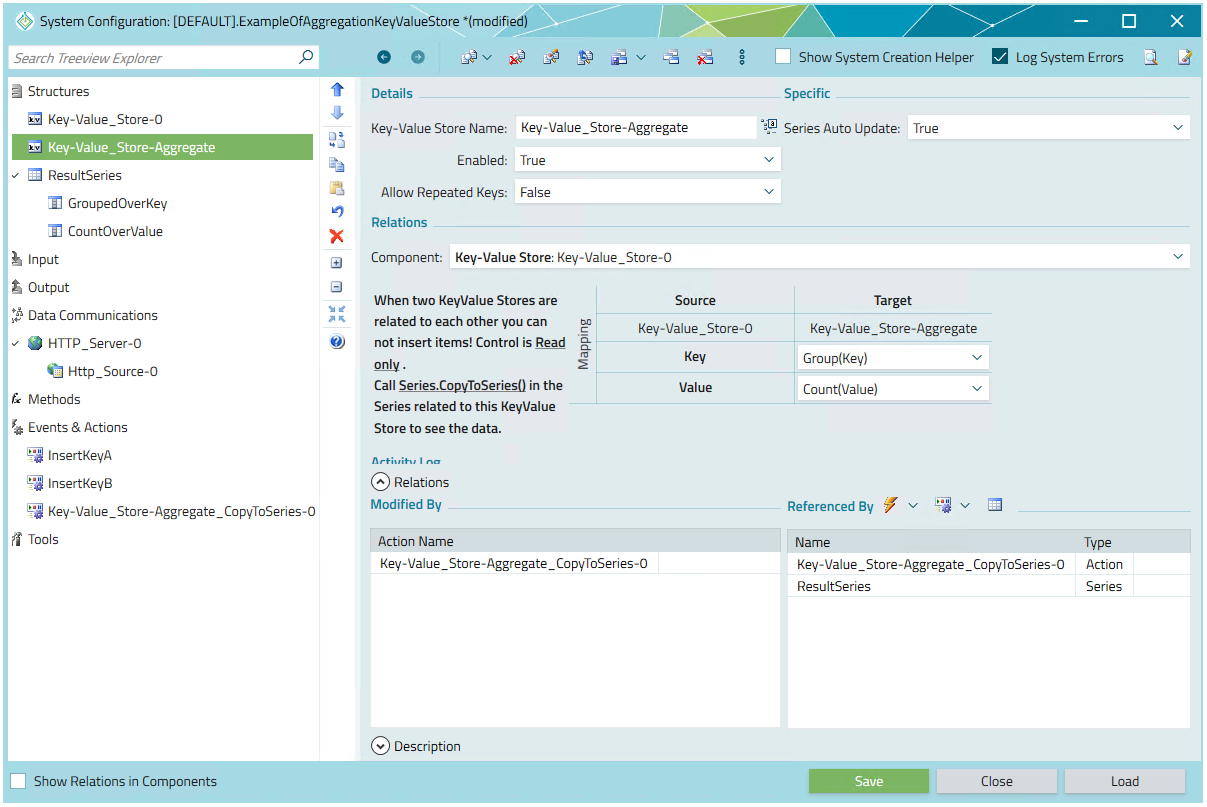
If one Key-Value Store is attached to another one, the second one (in this case
Key-Value_store-Aggregate) is not storing any values itself.
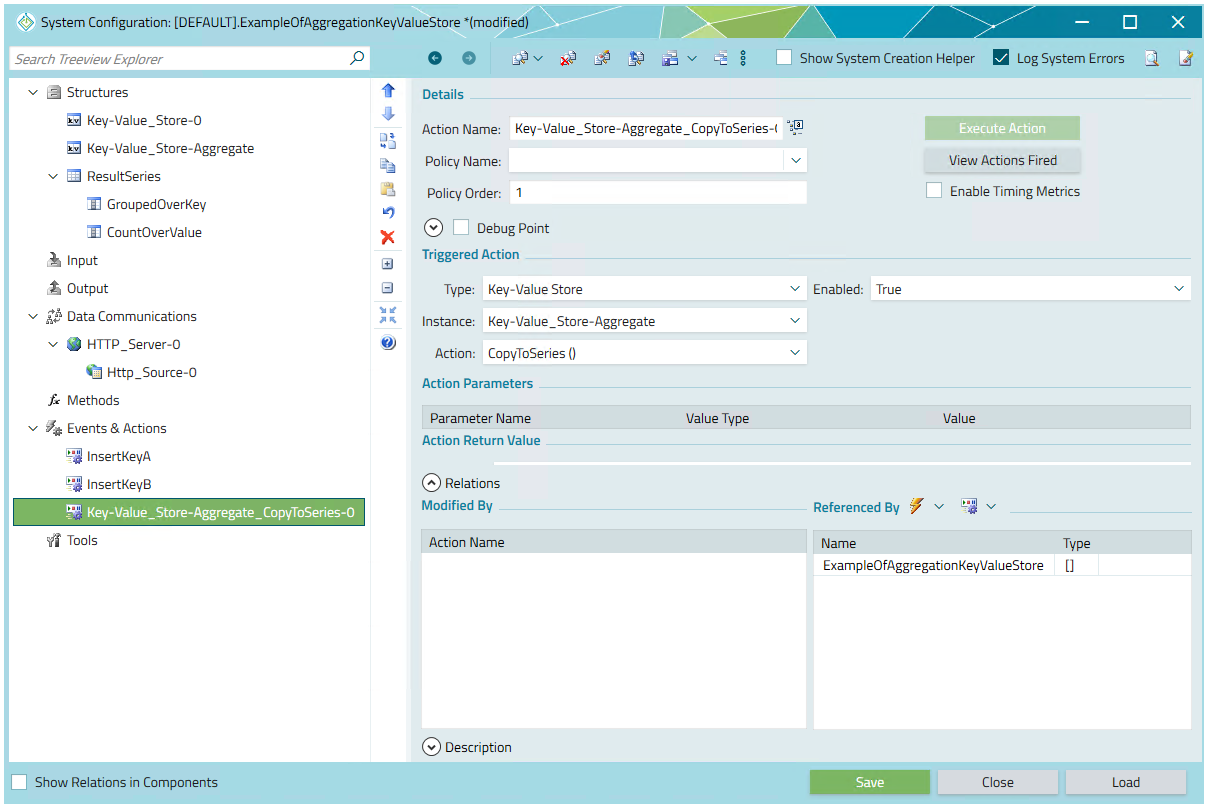
After calling function Key-Value_store-Aggregate.CopyToSeries() a specified aggregation
operation is being executed on attached Key-Value Store
(in this case Key-Value_Store-0) and proper set of Key-Value pair are send to an attached
series.
To build the full scenario the following steps must be fulfilled:
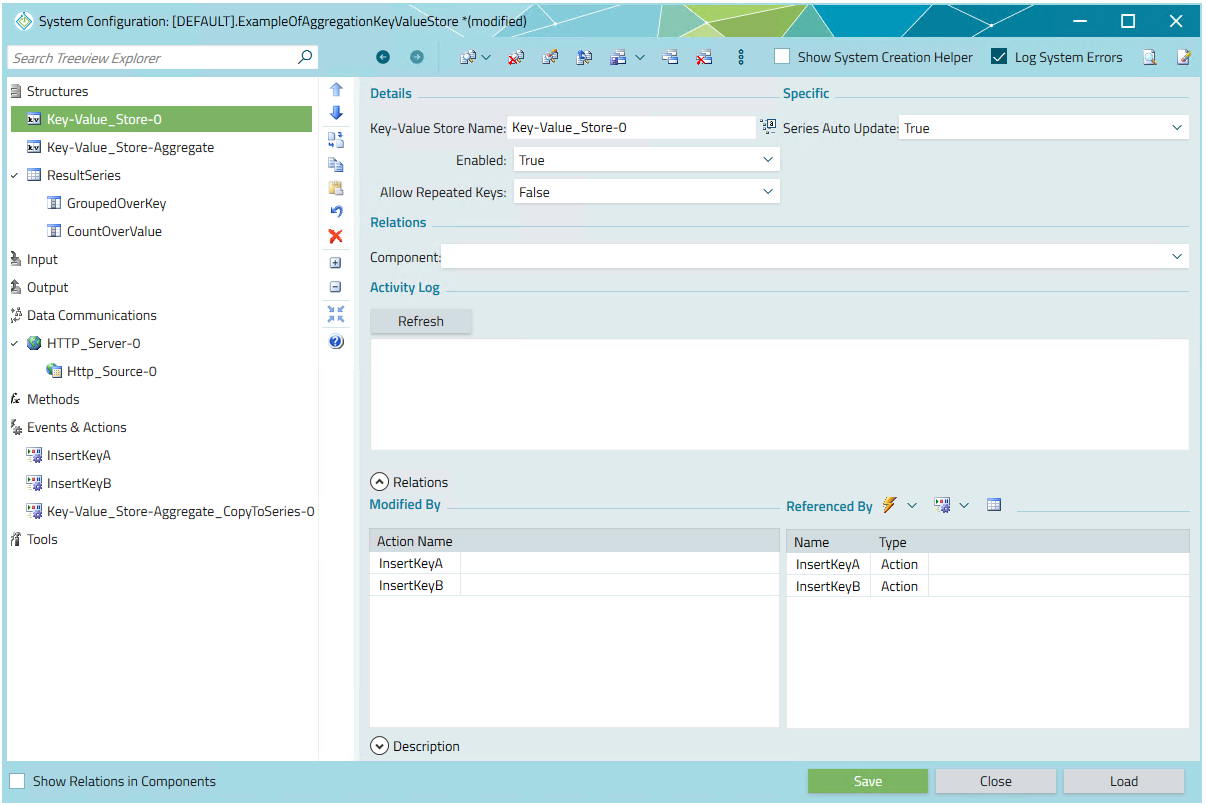
- Create Key-Value_Store-0. Later to observer any result you have to add data to this component following one of the examples from the section Adding Items to a Key-Value Store
- Set Allow Repeated Keys to True in Key-Value_Store-0.
- Create Key-Value_Store-Aggregate and attach to Key-Value_Store-0.
- In the mapping section of Key-Value_Store-Aggregate provide proper aggregation operations for Key-Value_Store-0.
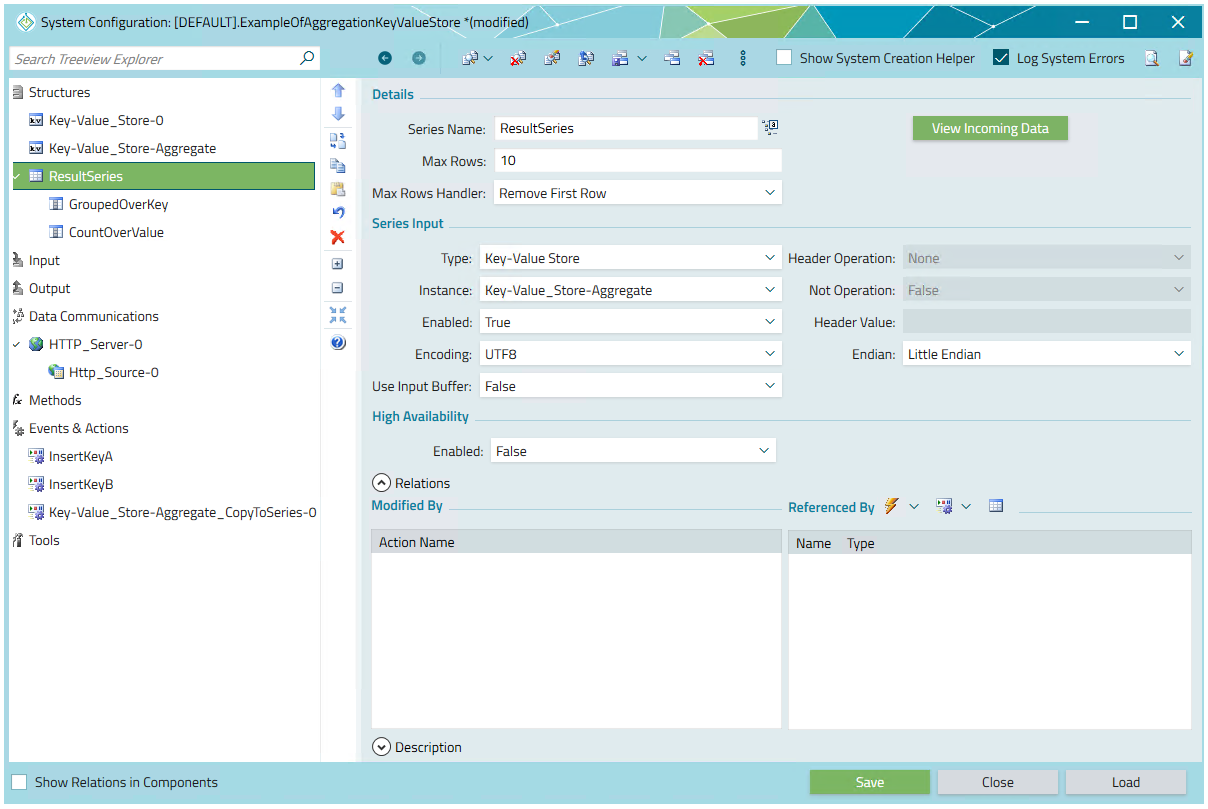
- Create Series ResultsSeries and attach it to Key-Value_Store-Aggregate
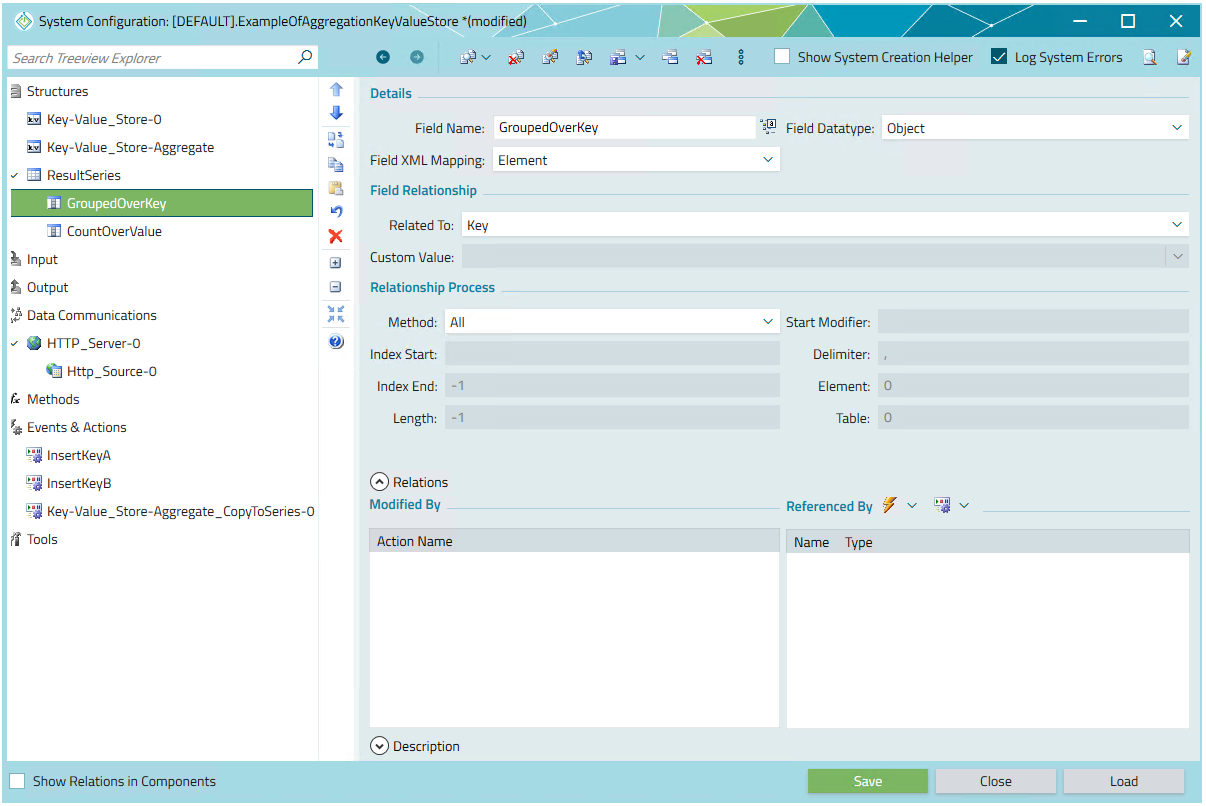
- Create Series Fields GrouppedOverKey and CountOverValue and attach it to Key and Value respectively
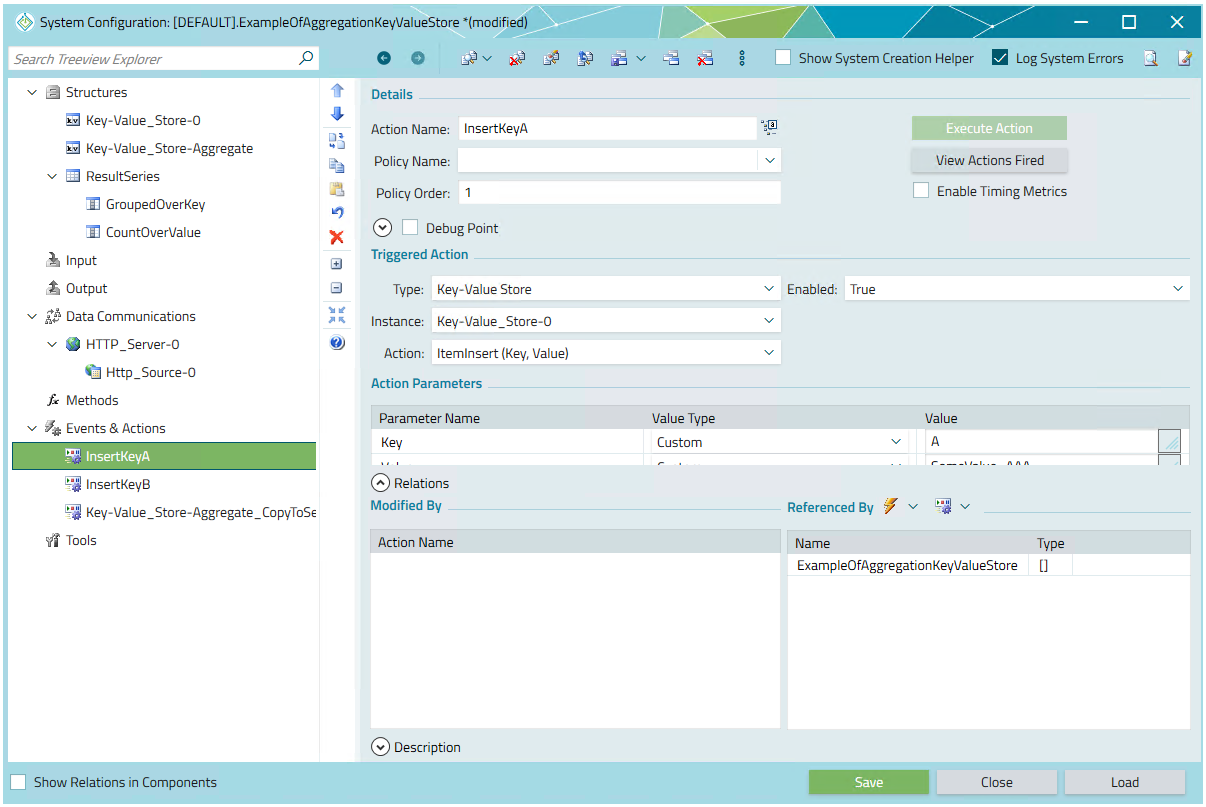
- For the purpose of the example I have create two dummy actions inserting the data InsertKeyA and InsertKeyB.
- Create action that will trigger aggregation and sending results to the Series. In this case: Key-Value_Store-Aggregate_CopyToSeries-0.
In the following example trigger all the actions manually and observe the contents of the series
ResultSeries.
All the steps are depicted on the screenshots below and the example system can be downloaded here.